Portable Work Lights: A Buying Guide for Outdoor Teams
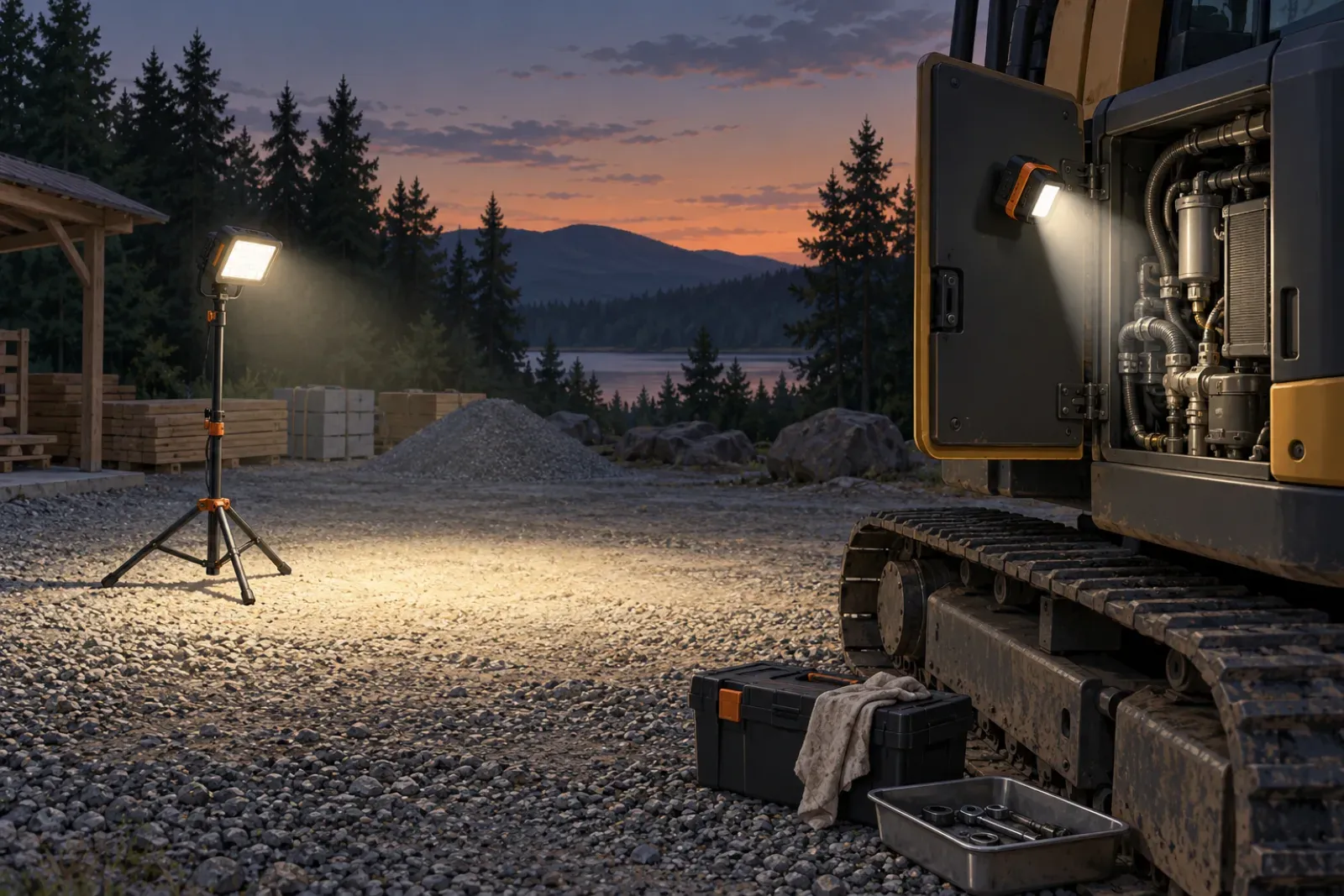
Compare work lights on a short set of published figures, and ask every supplier for the same ones. The table lists the figures this guide covers and what each one tells you.
| Specification | What it describes | Check |
|---|---|---|
| Lumens (lm) | Total light output | Test method and output mode |
| Lux (lx) | Light reaching a surface | Distance and beam pattern |
| Beam pattern | How the light is spread | Flood or spot, stated angle |
| Color temperature (K) | Warm or cool appearance | Stated value |
| Color rendering (CRI) | How colors appear under the light | Stated value and method |
| Runtime | Hours at a stated mode | Mode and battery Wh |
| Protection (IP, IK) | Dust, water, impact claims | Standard and test |
Define the lighting task and working area
Write down what people must see and where. Reading a gauge, tightening fasteners at a machine panel, and walking around a laydown yard are different jobs.
Split the need into two types:
- Area lighting spreads light over a work zone so people can move safely and see the general layout.
- Task lighting puts concentrated light on a small target such as an equipment panel.
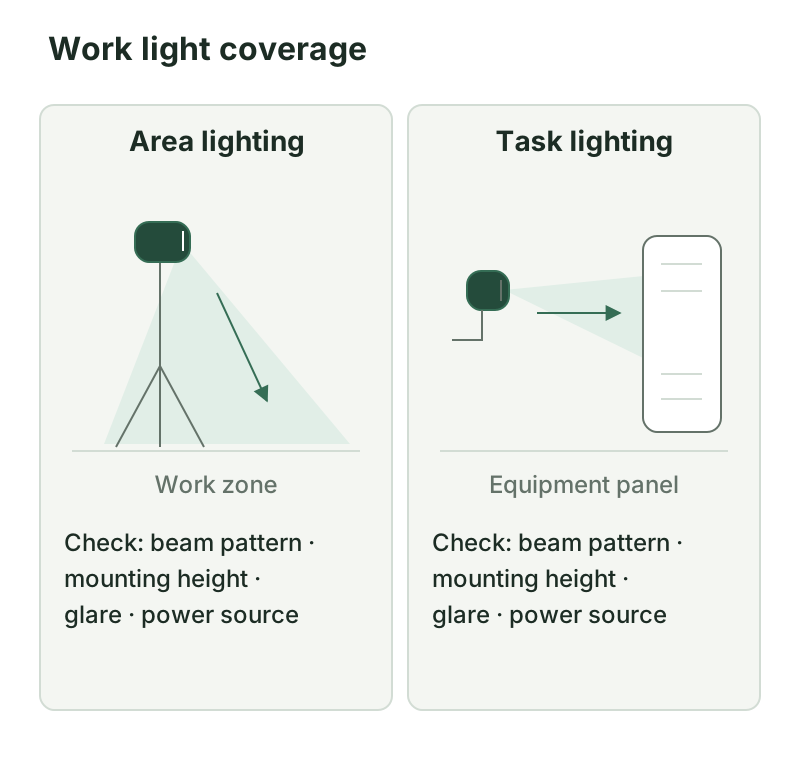
For each task, record the dimensions of the area, the height at which a light can be placed, whether people face the light, what surfaces are shiny or dark, and how many hours of work happen after dark. These notes feed the comparison sheet at the end.
Compare published light-output information
Lumens and lux
A lumen is the SI unit of luminous flux, the total light a source emits. Lux is the unit of illuminance, the light that arrives on a surface. According to NIST’s SI units page, the lux is the lumen per square meter. So lux = lumens per square meter: the same lumens spread over a larger area give fewer lux.
The practical result is that a lumen figure alone does not tell you how bright your task will look. A light can emit many lumens and still deliver little at a panel ten meters away if the beam is wide. Ask whether the supplier publishes lux at a stated distance, and at which output mode.
Lumen figures can also be measured to different methods. One supplier may quote a figure from the LED chip, another from the complete light. Figures measured by different methods are not directly comparable. This guide does not rank products by lumens, and neither should a comparison built on mixed claims. Ask what the figure refers to and what test method was used.
Beam pattern
A flood or area pattern spreads light wide. A spot or task pattern throws light narrowly and farther. Many lights offer more than one mode. Check:
- Whether a beam angle is published, and how it is defined.
- Whether the lux figure applies to the flood mode, the spot mode, or both.
- Whether the light can be aimed or tilted.
Color temperature and color rendering
Color temperature is given in kelvin (K). Lower values look warmer and higher values look cooler. Color rendering is often given as CRI, an index of how natural colors look under the light. These are published values. Ask for them in writing and for the method behind CRI. Whether you need a particular value depends on the task, for example if workers must tell wire colors apart.
Check power, runtime and charging claims
A runtime claim is only useful if it says three things: which output mode, which battery capacity, and under what conditions. A headline figure such as “up to 50 hours” (a hypothetical example) may describe only the lowest output mode. Ask for runtime per mode, including the highest output you plan to use.
Battery capacity is stated in watt-hours (Wh). Capacity in Wh and the light’s power draw in watts give you a way to check a runtime claim: hours are roughly Wh divided by watts at that mode. If the claim does not match the Wh and the stated draw, ask why. For the units and the method to size a larger power source, see how to size a portable power station.
Also check:
- Charging time from empty to full, with the charger and input stated.
- Charging method: built-in battery, replaceable battery packs, USB, AC or vehicle input.
- Operating and charging temperature range, since cold and heat can change both runtime and charging.
- Whether the light can run while charging, treated as a question for the supplier, not an assumption.
- Spare batteries: availability, whether they are interchangeable, and how they are shipped. Transport rules for lithium batteries are written in Wh, so keep the rating from the label.
If the lights will be powered from a shared station, add them to the load worksheet in the sizing guide as a continuous load.
Review mounting and environmental limitations
Mounting, glare and placement
Common mounting options are a tripod, a stand, a magnet, a hook or hanging point, and a clamp. Check the maximum height and the load rating of the tripod or stand, the strength of a magnet on your surfaces, and whether the light can be moved quickly.
Placement matters as much as output. A light aimed into workers’ eyes causes glare and makes the rest of the area look darker. Mount lights above eye level where practical, aim them down and across the task, and avoid placing a bright source directly in a line of sight. For shiny surfaces, test the placement on site before committing to a purchase quantity.
Protection claims
Housing protection is described by an IP code, which the International Electrotechnical Commission publishes as a classification of protection against solids and water. Read the digits carefully, check what test the claim refers to, and note whether ports and chargers are covered. The guide to IP ratings explains how to read the code and what a claim does and does not tell you.
Impact protection may be given as an IK code, which exists under IEC 62262. Not every supplier uses it. If a light claims impact resistance, ask which standard and which test, such as the drop height or the energy level, so you can compare like with like. A plain “rugged” statement is not a rating.
Operating temperature
Lights, batteries and chargers can have separate temperature ranges. Record each from the manual and compare it with the weather at your site.
Maintenance
Follow the manual for cleaning lenses, checking seals and cable entries, storing and recharging batteries, and inspecting mounts. Record those tasks in your equipment register. The maintenance planning guide shows how to turn manual-based tasks into a schedule with named owners. Ask the supplier about spare parts, replacement batteries and the warranty terms in writing.
Work light comparison sheet
Use the same sheet for every supplier. The cells under “Supplier A” and “Supplier B” are blank on purpose. Fill them from published documents, and write “not stated” when a figure is missing. A CSV version with an extra supplier column is also listed on the Resources page.
| Requirement | What to ask for | Evidence | Supplier A | Supplier B |
|---|---|---|---|---|
| Task and area | Describe the task, area size and mounting height | Your site notes | ||
| Light output | Lumens, with the measurement method; lux at a stated distance | Datasheet, photometric report | ||
| Beam pattern | Flood or spot, angle, and whether it is adjustable | Datasheet | ||
| Color temperature | Kelvin value | Datasheet | ||
| Color rendering | CRI value and method | Datasheet, report | ||
| Runtime per mode | Hours at each output mode | Datasheet, manual | ||
| Battery capacity | Wh, and whether replaceable | Label, manual | ||
| Charging | Time, method and input | Manual | ||
| Mounting | Tripod, stand, magnet, hook, with load limits | Manual | ||
| Protection (IP) | Code and what was tested | Manual, test report | ||
| Impact (IK) | Standard, code and test | Manual, test report | ||
| Operating temperature | Range for light and battery | Manual | ||
| Maintenance and spares | Tasks, parts and batteries | Manual | ||
| Warranty | Terms and what it excludes | Warranty document |
Conditions and limits of this guide
This guide is based on published documentation and standards references, not on lab testing or field testing of lights. It does not rank products, and specifications measured to different methods should not be treated as equal. It does not cover hazardous-location lighting or fixed installations, which have their own rules and require qualified advice.
Put these requirements into an RFQ
Once the sheet is complete, turn it into a request for quotation. Include the task, the area, the required output and mode, the runtime at the highest mode you need, the protection claims you require, and the documents you want attached. The RFQ guide shows how to structure the sections so quotes can be compared line by line. For more on how this fits with power sources and other field equipment, see the Power & Lighting hub.
Downloads
Sources and versions
- SI units , National Institute of Standards and Technology Supports: Definitions of the SI units for luminous flux (lumen) and illuminance (lux)
- Ingress Protection (IP) ratings , International Electrotechnical Commission Supports: IP codes describe protection against solids and water ingress
Next steps
How to Write an RFQ for Outdoor Equipment
How to write a request for quotation for outdoor equipment: measurable requirements, documents, commercial terms and a response table that makes quotes comparable.
Outdoor Equipment Maintenance: Building a Practical Schedule
Build an outdoor equipment maintenance schedule from model manuals: equipment register, trigger types, task types, roles, records, and a downloadable template.