Starlink Mini Case Fit: A Field Kit Packing and Receiving Checklist
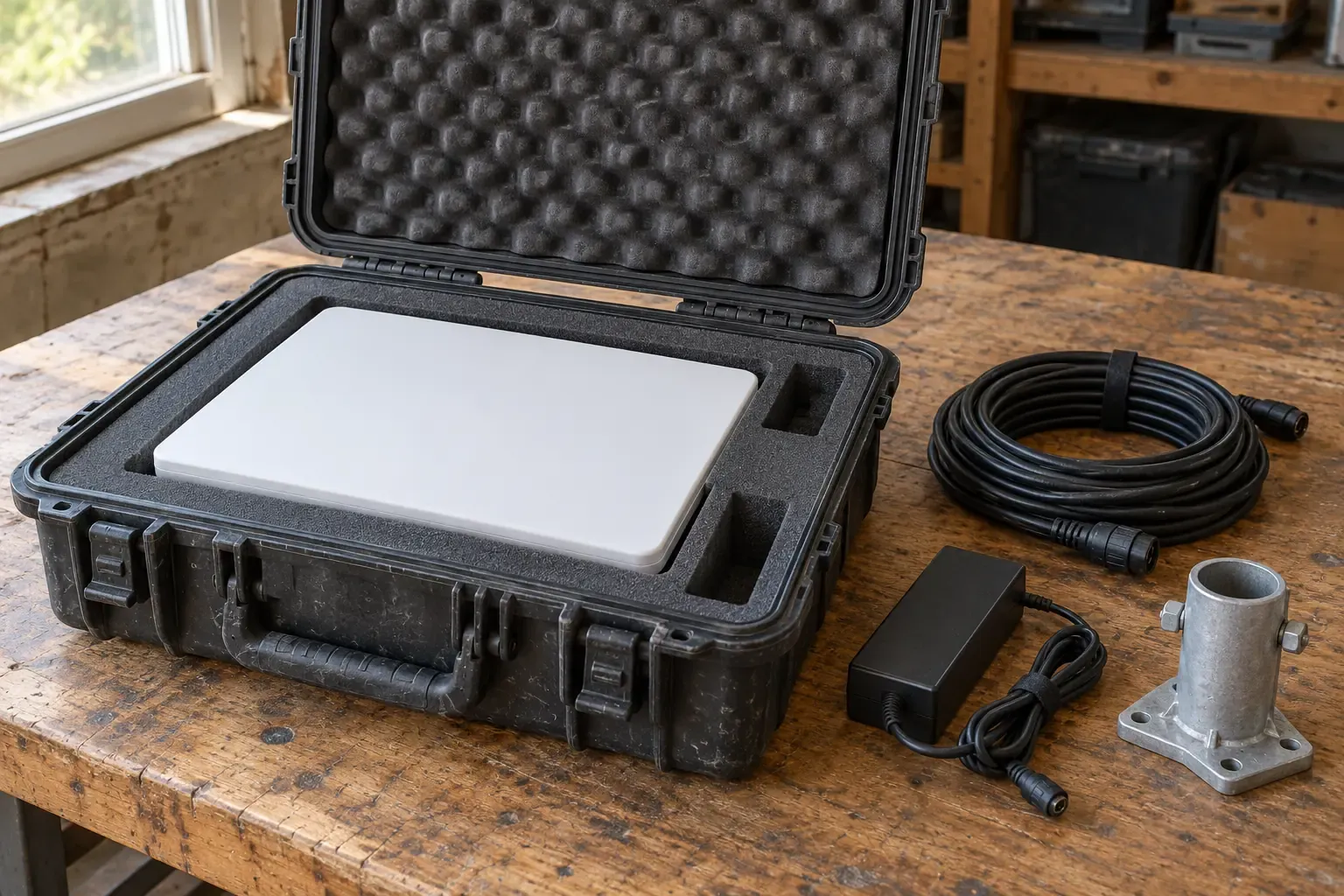
Ordering a hard case by exterior shell size alone often leads to pinched cables, crushed foam walls, or damaged barrel-plug connectors at the first field pack-out. A case fits only when its interior lid-and-base split and pre-cut foam cavities match the exact combination of antenna, mounts, and power leads in your kit. Start by comparing the official Starlink Mini component dimensions against the manufacturer’s published case data, then complete a dry receiving trial fit before taking the kit to site.
This guide covers transport-case verification and receiving inspection for a Starlink Mini kit. For general shell sizing and wheel selection across field gear, use the hard-case foam, wheels and transport guide. For seal inspection and ingress ratings, see the waterproof equipment-case checklist and the equipment cases and protection hub.
Scroll horizontally to see all columns.
| Reference item | Official published dimensions | Official weight | Key published scope or limit |
|---|---|---|---|
| Starlink Mini antenna (electronic phased array with integrated Wi-Fi 5 router) | 298.5 x 259 x 38.5 mm (11.75 x 10.2 x 1.45 in) | 1.10 kg (2.43 lb) dish only; 1.16 kg (2.56 lb) with Kickstand; 1.53 kg (3.37 lb) with Kickstand & 15 m cable | IP67 Type 4 with DC Power Cable and Starlink Plug/Cable installed; operating -30°C to 50°C (-22°F to 122°F); 25–40 W average power |
| Kickstand (in-box mount) | 259 mm (10.2 in) x 117 mm (4.6 in) | Included in 1.16 kg (2.56 lb) dish-plus-kickstand weight | Pre-installed on the antenna in the retail box |
| Mini Pipe Adapter & Flat Mount (in-box mount) | 124.4 x 91 x 53.3 mm (4.9 x 3.6 x 2.1 in) | 0.15 kg (0.33 lb) | Fits 31 mm (1.25 in) to 50 mm (2 in) pipe diameter |
| Starlink Power Supply (in-box AC brick) | 91 x 44 x 51 mm (3.6 x 1.7 x 2.0 in) | 0.2 kg (0.44 lb) | 100–240V ~ 1.6A 50–60 Hz; IP66 Type 4 |
Mini 15 m (49.2 ft) DC Power Cable (in-box) | 15 m (49.2 ft) length | 0.3 kg (0.7 lb) | Included in retail kit |
| Starlink Mini retail package | 430 x 334 x 79 mm (16.92 x 13.14 x 3.11 in) | 2.89 kg (6.37 lb) | Shipping carton envelope for the five in-box items |
Pelican 1505SSLK Starlink Mini Case (1505 Air shell with custom foam) | Interior: 18.51 x 10.76 x 7.72" (47 x 27.3 x 19.6 cm); Lid Depth 1.97" (5 cm), Bottom Depth 5.5" (14 cm), Total Depth 7.47" (19 cm); Exterior: 19.72 x 13.56 x 8.46" (50.1 x 34.4 x 21.5 cm) | With Foam 7.40 lbs (3.4 kg); Empty 5.91 lbs (2.7 kg) | Holds dish, kickstand, power supply, pipe adapter, cables, and small accessories; designed for transport protection, not in-case operation |
What Pelican case is published for Starlink Mini?
When buyers search for what Pelican case fits a Starlink Mini kit, Pelican’s product catalog lists one dedicated SKU: the 1505SSLK Starlink Mini Case, built on the Pelican 1505 Air platform. Rather than selling an empty shell or pick-and-pluck foam block by default, the 1505SSLK ships with a custom-cut polyethylene foam interior (listed at 2.0 lbs/cubic ft density) and a convoluted polyurethane lid pad (1.2 lbs/cubic ft density).
Pelican states that the 1505SSLK interior holds the Starlink Mini dish, kickstand, power supply, pipe adapter, cables, and small accessories. That component list matches the five items shown in the Starlink Mini Specification Sheet: the Starlink Mini with integrated Wi-Fi, the Kickstand, the Starlink Pipe Adapter and Flat Mount, the 15 m (49.2 ft) DC Power Cable, and the Power Supply, plus the small Starlink Plug.
Two details on Pelican’s 1505SSLK specification table require careful reading before a procurement team copies them into an internal equipment register:
- Interior depth versus lid-plus-bottom sum: Pelican lists
Interior (L×W×D): 18.51 x 10.76 x 7.72"(47 x 27.3 x 19.6 cm), while separately listingLid Depth: 1.97"(5 cm),Bottom Depth: 5.5"(14 cm), andTotal Depth: 7.47"(19 cm). When checking vertical clearance for vertically stowed adapters or bricks, work from the5.5"(14 cm) base depth and1.97"(5 cm) lid depth rather than assuming the full7.72"sits in the bottom tray. - Transport-only operating boundary: Pelican prints an explicit operational restriction on the
1505SSLKpage: “This case is designed for protection during transport, not for the operation of the Starlink system.” Do not operate the antenna or AC power supply inside a closed transport case, and do not drill pass-through holes or modify the polypropylene shell, ABS latches, or EPDM O-ring gasket.
Key takeaway: Pelican’s
1505SSLKis a pre-cut transport case for the standard Starlink Mini kit and small accessories (7.40 lbs/3.4 kgwith foam before loading gear); it is not an operating enclosure.
Which Starlink Mini accessories change the foam layout?
The standard retail box contains only the dish (298.5 x 259 x 38.5 mm), pre-installed Kickstand (259 x 117 mm), Pipe Adapter and Flat Mount (124.4 x 91 x 53.3 mm), 15 m DC Power Cable (0.3 kg), and AC Power Supply (91 x 44 x 51 mm). Field teams frequently add alternate mounts or DC power leads from the Starlink Mini Accessories Guide (V4_MINI_Accessories_Guide_042525). Because those optional accessories have larger footprints or heavier cable coils than the in-box parts, they do not automatically drop into a foam insert cut strictly for the standard kit.
Compare any added Starlink accessories against the published dimensions below before assuming they fit an existing case cavity:
Scroll horizontally to see all columns.
| Official Starlink accessory | Manufacturer-listed dimensions | Manufacturer-listed weight | Compatibility and packing impact |
|---|---|---|---|
| Mini Mobility Mount | 162.3 x 82.3 x 55.0 mm (6.39 x 3.24 x 2.17 in) | 0.43 kg (0.95 lb) | Replaces Kickstand for flat vehicle/surface mounting; longer (162.3 mm vs 124.4 mm) and heavier than the in-box Pipe Adapter |
| Mini Wall Mount | 219 x 157 x 89.2 mm (8.62 x 6.18 x 3.51 in) | 0.60 kg (1.30 lb) | Compatible with 4-inch overhang max; requires a much deeper and wider cavity than in-box mounts |
| Mini Pivot Mount | 262.1 x 240 x 92.3 mm (10.31 x 9.44 x 3.63 in) | 0.78 kg (1.72 lb) | Nearly as wide as the dish itself (262.1 x 240 mm); will not fit standard small-accessory slots |
| Mini Roof Rack Mount | 198 x 82.3 x 51.3 mm (7.80 x 3.24 x 2.02 in), fits 15 mm (0.59 in) to 44.5 mm (1.75 in) bars | 0.62 kg (1.36 lb) | Requires a dedicated 198 mm slot if packed inside the same case |
Mini 30 m (98.4 ft) DC Power Cable | 30 m (98.4 ft) length | 1.1 kg (2.4 lb) | Twice the length and more than triple the mass of the in-box 15 m (0.3 kg) DC cable; check cable-bay volume |
Mini 5 m (16.4 ft) USB-C Cable | 5 m (16.4 ft) length | 0.15 kg (0.3 lb) | Connects Starlink Mini to a USB-C power source; requires 100W (20V/5A) USB-PD output |
| Mini Car Adapter | 5 m (16.4 ft) cable length | 0.43 kg (0.95 lb) | Powers Starlink Mini over 12–24V automotive auxiliary outlets; replaces or supplements the AC brick and 15 m lead |
| Router Mini | 137.4 x 83.8 x 27.1 mm (5.4 x 3.3 x 1.06 in) | 0.21 kg (0.47 lb) | Dual-band Wi-Fi 6 mesh router (IP54, 0°C to 40°C); requires its own 91 x 44 x 51 mm power supply cavity |
| Mini Travel Kit | Sleeve 307 x 264 x 46 mm (12.09 x 10.39 x 1.81 in); Carry bag 286 x 330 x 97 mm (11.26 x 12.99 x 3.82 in) | Sleeve 0.45 kg (1.0 lb); Carry bag 0.41 kg (0.9 lb) | Protective sleeve shields the dish face (1.59 kg / 3.5 lb total kit weight); adds 7.5–8.5 mm around the dish perimeter, which prevents fitting into bare-dish foam cutouts |
If your crew leaves the Mini Travel Kit bumper sleeve on the dish during transit (307 x 264 x 46 mm instead of 298.5 x 259 x 38.5 mm), a foam cavity cut to the bare dish dimensions will bind along the walls. Similarly, swapping the 15 m DC cable (0.3 kg) for the 30 m DC cable (1.1 kg) or adding the Mini Car Adapter (0.43 kg) and 5 m USB-C cable (0.15 kg) changes both the required cable pocket volume and the loaded case weight.
Can you verify a Pelican 1505 setup with Anker Solix C200 or C300 DC from official specs?
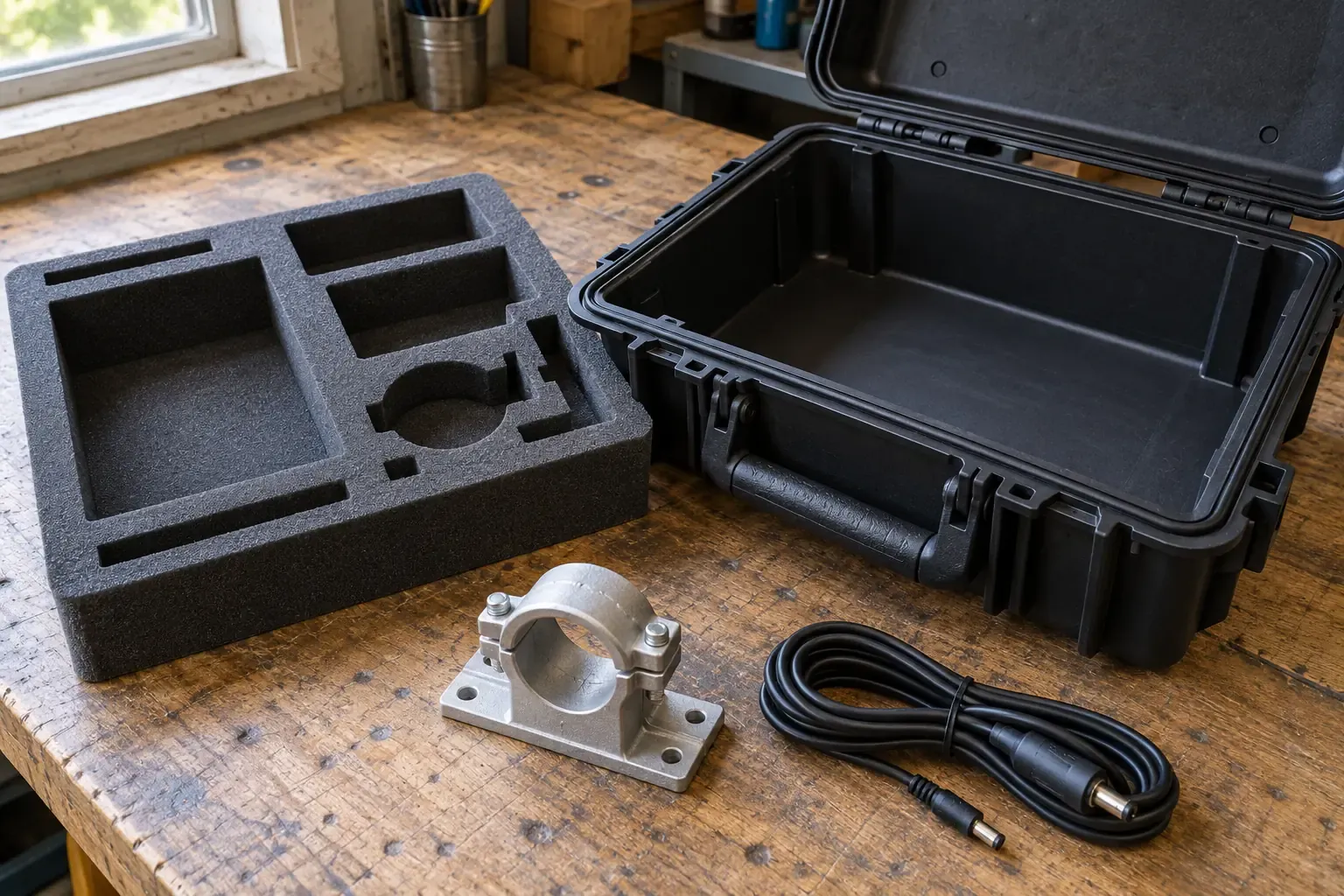
Many buyers search specifically for a Pelican 1505 Case Setup for Starlink Mini & Anker Solix C200 (or C300 DC) after seeing custom community builds that pair the antenna with a compact lithium power station or DC power bank inside one shell. When evaluating those setups for a work crew, separate what the manufacturers document from what remains unverified:
- What Starlink documents on DC and USB-C power: The Starlink Mini Specification Sheet lists average power consumption at
25–40Wand an input rating of100–240V ~ 1.6A 50–60 Hzfor the included AC Power Supply. The Starlink Mini Accessories Guide specifies that the official5 m(16.4 ft) Starlink Mini USB-C Cable (0.15 kg) is designed to power Starlink Mini from USB-C power sources and requires a100W (20V/5A)source. For vehicle outlets, the Mini Car Adapter operates from12–24Vauxiliary ports. - What Pelican documents for the
1505SSLK: Pelican specifies that the1505SSLKfoam holds the Starlink Mini dish, kickstand, power supply, pipe adapter, cables, and small accessories. Pelican does not list a cavity for an Anker Solix C200, Anker Solix C300 DC, or any other third-party battery station, nor does Pelican publish the length, width, and depth of the individual accessory cutouts inside the1505SSLKinsert. - Why community foam modifications and runtime claims are not engineering evidence: Forum posts and video builds often trim foam dividers, stack the dish over a third-party battery, or run cables through a latched shell. Neither Starlink nor Pelican endorses operating a dish or discharging a battery pack inside a closed case. In addition, runtime in the field varies with sky obstruction, snow-melt heating, ambient temperature (
-30°C to 50°Cdish rating), and DC conversion losses, so this guide does not adopt community runtime estimates.
To compare how portable power stations and USB-PD power banks declare their single-port 100W (20V/5A) output ceilings and shared-port limits, use our portable power station vs power bank comparison. If the kit will travel by passenger aircraft, note that lithium-ion battery watt-hour screening and gate-check removal rules apply to the battery unit regardless of the case shell; record those checks separately on the flying with a portable power station screening checklist.
Key takeaway: Official Starlink and Pelican documents do not verify a combined Pelican 1505 + Anker Solix C200/C300 DC foam layout; verify the
100W (20V/5A)USB-C output requirement and exact cavity dimensions before ordering a custom insert.
What to verify with the case or insert supplier before ordering
Whether you are buying the factory Pelican 1505SSLK ($369.95 list on Pelican’s US product page at time of review) or evaluating a third-party case with a custom-cut insert, check five documentation items before placing the order. Use the equipment test report checklist whenever a supplier claims independent ingress or drop certification.
- Exact case SKU and shell family: Confirm whether the offer is for the complete
1505SSLKassembly (case plus pre-cut Starlink Mini polyethylene foam) or a standard1505 Airshell with blank foam, pick-and-pluck foam, or an aftermarket insert. - Itemized cavity drawing against your accessory list: Compare the insert drawing against every item in your kit—specifically checking whether the dish slot fits a bare dish (
298.5 x 259 x 38.5 mm) with the Kickstand attached (259 x 117 mm) or requires removing the Kickstand, and whether the mount and cable bays accept optional items like the30 mDC cable (1.1 kg) or Mobility Mount (162.3 x 82.3 x 55.0 mm). - Foam polymer and density specification: Pelican lists
2.0 lbs/cubic ftpolyethylene for the1505SSLKbase insert and1.2 lbs/cubic ftpolyurethane for the convoluted lid foam. Confirm that any replacement or aftermarket insert uses closed-cell polyethylene around the dish and heavy bricks so foam walls do not tear or take a permanent compression set in transit. - Total packed weight against carry and baggage limits: Adding the
1.53 kg(3.37 lb) dish-kickstand-cable assembly, the0.15 kg(0.33 lb) Pipe Adapter, and the0.2 kg(0.44 lb) Power Supply (1.88 kg/4.14 lbtotal for the five in-box items) to the3.4 kg(7.40 lb)1505SSLKcase brings the base kit to roughly5.3 kg(11.5 lb) before adding optional mounts or external batteries. - Documented test basis versus unverified marketing claims: Pelican’s
1505SSLKpage citesIP67andMIL-STD-810Hfor the case platform and-60°F (-51°C)to160°F (71°C)temperature limits for the shell. Remember that those figures apply to the closed case in transport, whereas Starlink rates the Mini antenna itself atIP67 Type 4(with DC Power Cable and Starlink Plug/Cable installed), the Power Supply atIP66 Type 4, and operating temperature at-30°C to 50°C(-22°F to 122°F).
How to run a receiving trial-fit inspection before field deployment
When the case arrives at the equipment room, run a dry trial fit with the unpowered Starlink Mini kit before signing off the receiving record or sending the unit into the field.
- Inspect the empty shell, latches, valve, and gasket groove. Open the latches, check the perimeter EPDM O-ring for twists, nicks, or loose foam crumbs from manufacturing, and verify that the purge valve housing is intact. Lift the base foam insert slightly to confirm the bottom pad is seated flat against the
5.5"(14 cm) base floor. - Seat the Starlink Mini dish and check perimeter and face clearance. Place the antenna (
298.5 x 259 x 38.5 mm) into the main recess in the orientation specified by the insert layout (Kickstand folded flat at259 x 117 mm). Verify that the matte radome face sits below the foam partition plane and that no hard metal mount or AC prong in an adjacent bay can shift across the foam wall and gouge the antenna face. - Trial-fit mounts and power bricks in their dedicated bays. Seat the Pipe Adapter and Flat Mount (
124.4 x 91 x 53.3 mm) and the AC Power Supply (91 x 44 x 51 mm). If the crew carries the5 mUSB-C cable (0.15 kg), Mini Car Adapter (0.43 kg), or a third-party power accessory in an aftermarket insert, verify that at least a full foam wall separates any heavy brick from the dish edge and the outer shell wall. - Coil cables without straining barrel plugs or crossing the O-ring lip. Unplug the DC power lead from the dish before stowing unless the insert has a dedicated strain-relief channel designed for a mated plug. Lay the
15 m(49.2 ft) or30 m(98.4 ft) cable coil fully inside its pocket so no loop rises above the rim plane where it could get pinched between the lid and the perimeter gasket groove. - Close the lid and check latch compression. Bring the convoluted lid foam down slowly and watch where it contacts the dish and accessories. The two latches should close with normal hand pressure without bowing the polypropylene lid or forcing the hinges. After opening the case following wet or cold field work, wipe down the shell and log any trapped moisture using the equipment-case condensation and moisture return record so damp cables are not sealed back inside the foam.
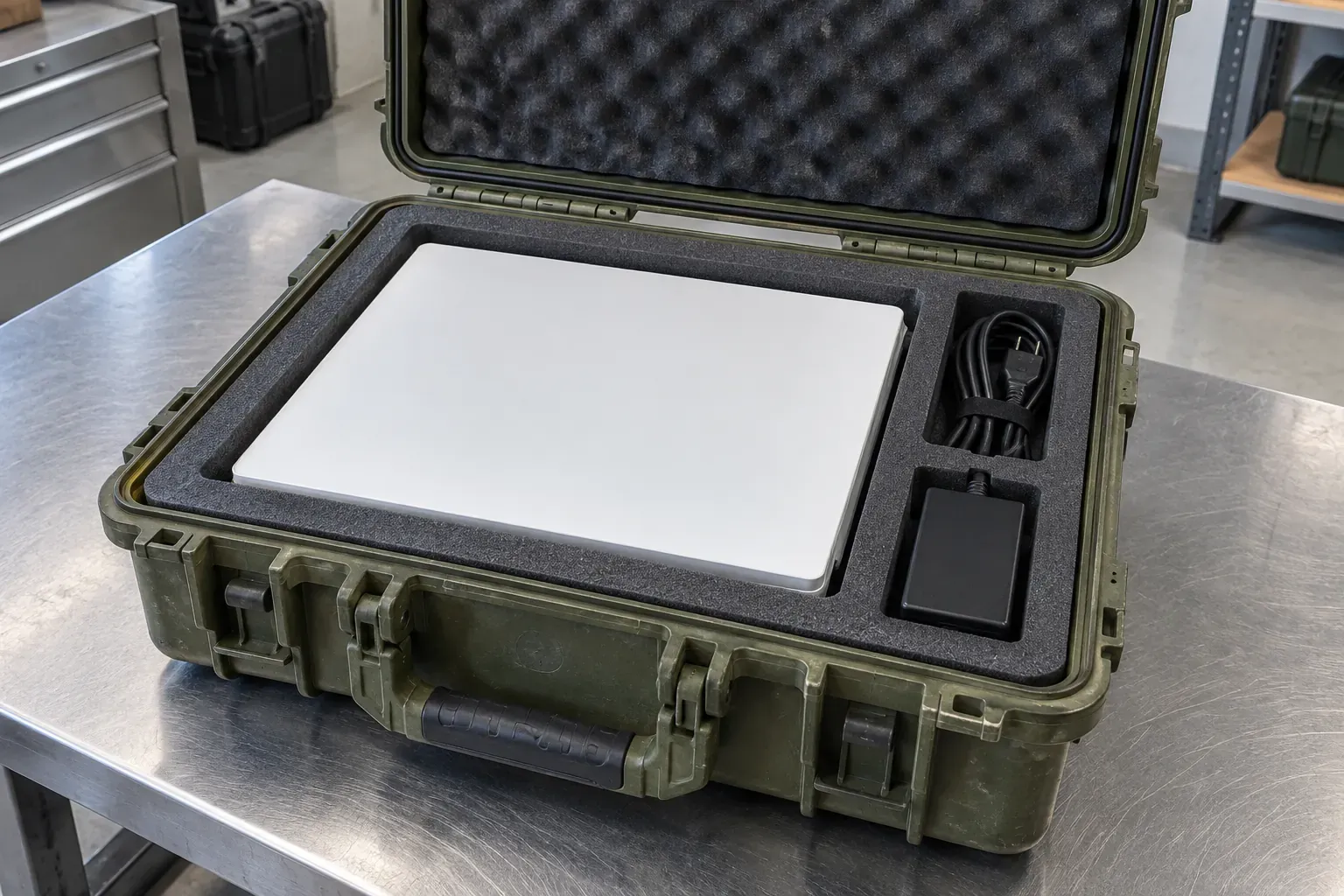
Starlink Mini case fit and receiving checklist
Copy this table into your asset log or download the blank CSV below to track kit inventory, supplier confirmation, and receiving fit checks across multiple field units. Leave any unconfirmed cell blank until verified against the actual hardware and supplier drawing.
Scroll horizontally to see all columns.
| Checklist field | What to record for your kit |
|---|---|
| Kit & Starlink Mini ID | Local equipment asset tag, Starlink Mini serial/kit ID, and assigned team |
| Packed in-box items | Dish (298.5 x 259 x 38.5 mm), Kickstand (259 x 117 mm), Pipe Adapter (124.4 x 91 x 53.3 mm), 15 m DC cable (0.3 kg), Power Supply (91 x 44 x 51 mm) |
| Added official accessories | Mobility/Wall/Pivot/Roof Rack Mount, 30 m DC cable (1.1 kg), 5 m USB-C cable (0.15 kg), Car Adapter (0.43 kg), Router Mini, or Travel Kit sleeve |
| Third-party power items | Exact battery model, dimensions, weight, and verified 100W (20V/5A) USB-PD output documentation |
| Candidate case brand & SKU | e.g., Pelican 1505SSLK (1505 Air shell with pre-cut polyethylene foam) or alternative SKU |
| Interior & depth split | Listed L×W×D (18.51 x 10.76 x 7.72" on 1505SSLK) plus separate lid (1.97") and base (5.5") depths |
| Foam material & cutout scope | Foam polymer/density (2.0 lb/ft³ PE base, 1.2 lb/ft³ PU lid) and confirmed list of items that fit simultaneously |
| Loaded weight & transit rule | Empty/foam case weight (7.40 lbs / 3.4 kg) plus packed kit mass; separate cabin watt-hour record for any lithium battery |
| Dry receiving fit check | Dish face protection, unplugged connector relief, cable clearance from EPDM O-ring lip, and unforced latch closure |
| Transport-only confirmation | Crew sign-off that the case is used strictly for transport and never for closed-case operation |
| Acceptance & next owner | Pass/hold decision, unresolved cutout questions, and custodian responsible for deployment |
Method and limits
This is a research-based guide prepared from SpaceX’s Starlink Mini Specification Sheet (Last-Modified: 2026-05-28), SpaceX’s Starlink Mini Accessories Guide (V4_MINI_Accessories_Guide_042525), and Pelican’s published 1505SSLK Starlink Mini Case specification. SavvySkull has not physically tested the Pelican 1505SSLK, Starlink Mini, or any third-party battery pack.
Where a manufacturer page contains unit-conversion discrepancies—specifically two lines on Pelican’s 1505SSLK spec table (Padlock Hole Diameter and Volume) and one secondary thickness callout on the Starlink Kickstand drawing—we have excluded those inconsistent figures rather than guessing which unit the publisher intended. Always verify current cutout revisions, battery transport regulations, and operating instructions against the documentation supplied with your hardware.
Downloads
- Starlink Mini case fit and receiving checklist (CSV) CSV Blank kit inventory, supplier verification, and receiving trial-fit record; no preset third-party battery cutouts or runtime claims.
Sources and versions
- Starlink Mini Specification Sheet , SpaceX / Starlink Supports: Starlink Mini antenna, kickstand, pipe adapter, power supply, 15 m DC cable, and package dimensions, weights, IP67 Type 4 and IP66 ratings, operating temperature, and 25–40 W average power consumption.
- Starlink Mini Accessories Guide (V4_MINI_Accessories_Guide_042525) , SpaceX / Starlink Supports: Dimensions, weights, and compatibility rules for official Starlink Mini mounts, 15 m and 30 m DC cables, 5 m USB-C cable (100W 20V/5A USB-PD requirement), car adapter, router mini, and travel kit.
- 1505SSLK Starlink Mini Case , Pelican Supports: Manufacturer interior and exterior dimensions, lid and base depth split, weights, materials, IP67 and MIL-STD-810H statements, packed-component list, and transport-only non-operating notice.
Next steps
Choosing a Waterproof Equipment Case: A Procurement Checklist
A procurement checklist for waterproof equipment cases: dimensions, seals, latches, valves, rating claims, test report scope, spares and maintenance documents.
Specifying Hard Equipment Cases: Foam, Wheels and Transport
Specify a hard equipment case by interior fit, foam layout, loaded handling and shipping requirements, with documented dimensions and a receiving checklist.
Portable Power Station vs Power Bank: Choosing Power for a Small Field Kit
Match a small field kit's device input to a printed output, cable rating, shared-port limit, and recharge line before choosing a station or a power bank.